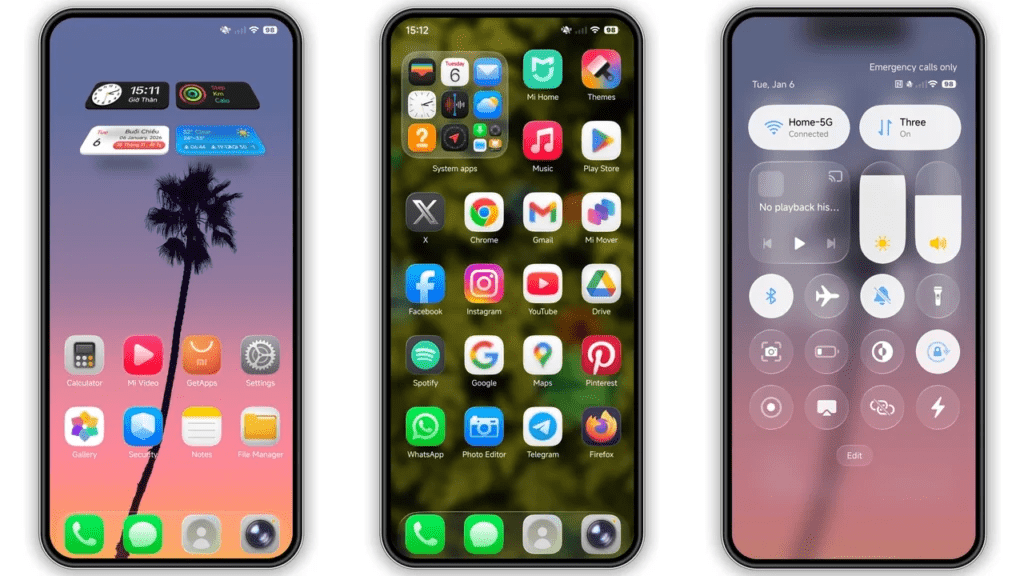
Many Xiaomi users love experimenting with new visual styles. For such users, iOS 26 HyperOS Theme for POCO/Redmi and Xiaomi Devices provides a refreshing alternative to the default HyperOS interface. iOS 26 HyperOS Theme is designed to give your Xiaomi, Redmi, or POCO smartphone a clean, modern, and eye-catching appearance that stands out from standard system themes.
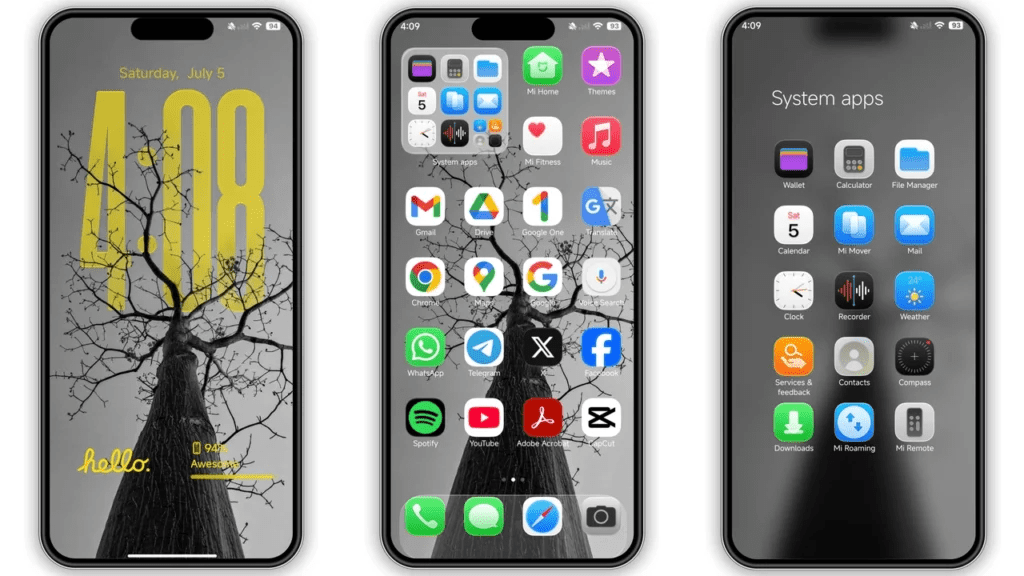
The iOS 26 theme introduces a carefully redesigned icon set that looks smooth and consistent across the home screen, based on iOS-like icons and Functionality.
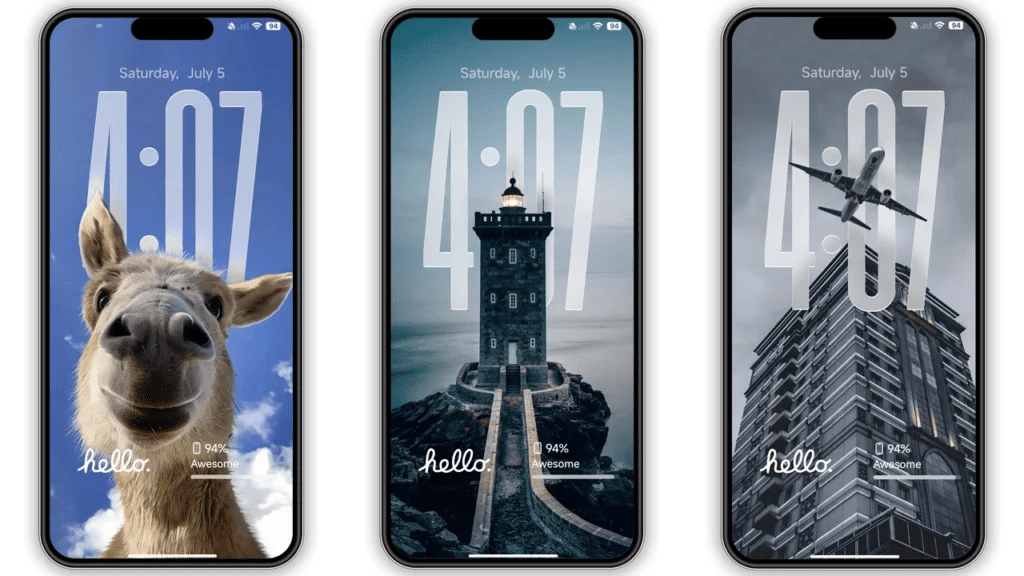
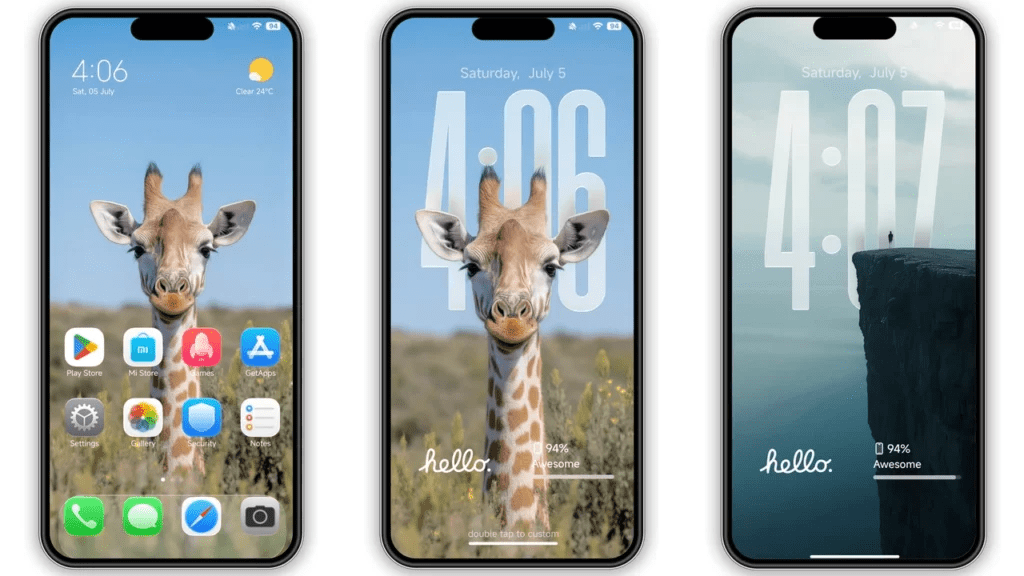
It also comes with new wallpapers, a refined status bar layout, and a visually appealing lock screen design that enhances the overall user experience. To complete the premium look, the theme supports a custom Always-on Display, making your phone look stylish even when the screen is locked.
One of the best things about the iOS 26 HyperOS Theme is that it is completely free to use. You can download and apply the theme directly without any hidden charges, making it an easy way to refresh your phone’s appearance and enjoy a new interface every day.
The theme is fully compatible with HyperOS and works smoothly on Xiaomi, Redmi, and POCO devices. If you enjoy trying new themes or want your smartphone to stand out from the stock HyperOS design, the iOS 26 HyperOS Theme is definitely worth checking out and sharing with other Xiaomi users.
iOS 26 HyperOS Theme Preview
iOS 26 Theme Details
- Theme Size: 42.53 MB
- Designer: 苏哥suger
- Region/Server: China
- Compatibility: HyperOS
- Features: Premium, Apple, iOS, iPhone, Customizable, Dynamic lock screen, Wallpapers
Get the iOS 26 HyperOS Theme from the links below
Official Theme Store Link [China Store]
Conclusion
How to Apply HyperOS and MIUI Themes [Stock ROMs]
If you have HyperOS or MIUI Global Stable ROM (Stock ROM) running on your device, please follow the steps below to download and apply the theme.
Step 1: Open this page using the Firefox browser on your device.
Step 2: In the download area, click on the Official Theme Store Link.
Step 3: This will open a Xiaomi theme page, which may be displayed in the Chinese language.
Step 4: Tap on the three dots in the top-right corner of the page and select Open in app.
Step 5: This will open the Theme Store app (Themes Store) where the theme is available.
Step 6: Download the theme from the Theme Store app.
Step 7: After the download is completed, apply the theme to your device.
If you are using MIUI 14 ROM, please follow the same steps above to install and apply the theme.
Note: If the Official Theme Store Link does not work, please try opening this page using Google Chrome or the default Xiaomi browser. Other browsers may not work properly.
How to Apply HyperOS and MIUI Themes on [Custom ROMs]
If you are using any MIUI 11, MIUI 12, MIUI 13, MIUI 14, or HyperOS-based custom ROMs such as Xiaomi EU ROM, MIUIRoom, or others, you can install the MIUI theme using an MTZ file.
Step 1: Download the MTZ theme file from the download link.
Step 2: Open the Theme Store app on your device.
Step 3: Tap on the Themes option inside the app.
Step 4: Swipe to the bottom of the screen and click on Import.
Step 5: Import the xxx.mtz file that you have just downloaded.
Step 6: Apply the theme after the import process is completed.
Note: Restart your device after applying the theme in case anything is overlapping or not visible properly. This theme has been tested and is working perfectly without any issues.
Conclusion
If you are bored with the default HyperOS interface and want a modern, stylish, and premium-looking theme, Super26 Pro HyperOS Theme is definitely worth downloading. With attractive visuals, smooth performance, and full compatibility across Xiaomi, Redmi, and POCO devices, it offers excellent value at zero cost.
The iOS 26 HyperOS Theme is a great choice for Xiaomi, Redmi, and POCO users who want a fresh and modern interface without relying on third-party launchers or paid themes. With its refined icons, stylish lock screen, smooth system UI, and Always-on Display support, the theme delivers a premium visual experience while keeping daily usability simple and smooth.
Also Read:
Give Your Xiaomi/POCO/Redmi a Premium Makeover With Super26 Pro HyperOS Theme