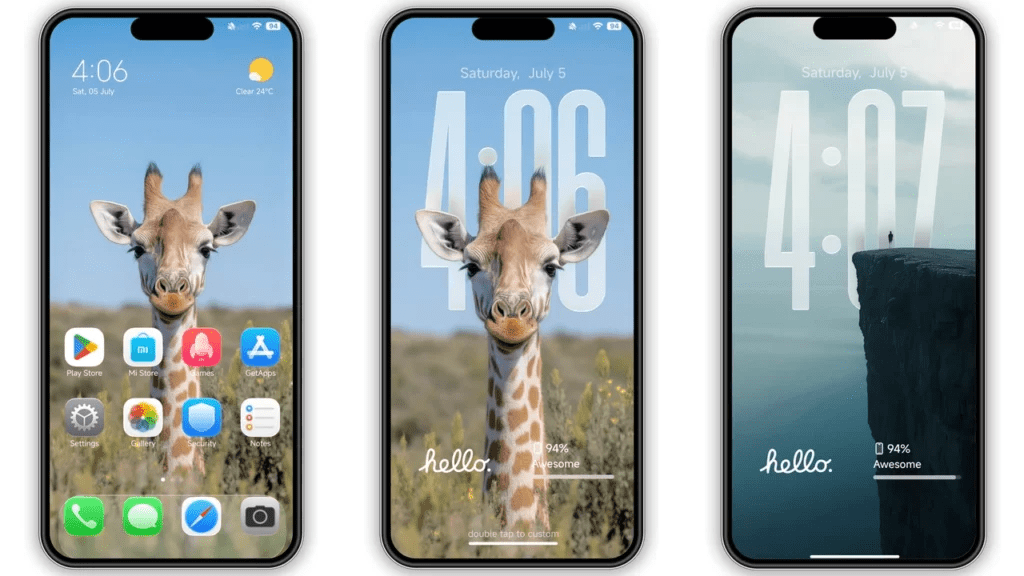
We are already familiar with how personalisation has always been one of the strongest features of Xiaomi smartphones, and with HyperOS, now theme customisation has reached a whole new level.
If you are looking to refresh the look of your Xiaomi device, like POCO/Redmi/MI & Xiaomi, without changing the phone itself, the Super26 Pro HyperOS Theme is a great option worth trying.
Super26 Pro HyperOS Theme is designed for users who prefer a modern, clean, and premium interface. This theme completely changes the visual experience of your smartphone while remaining smooth and lightweight for daily use.
What Is Super26 Pro HyperOS Theme
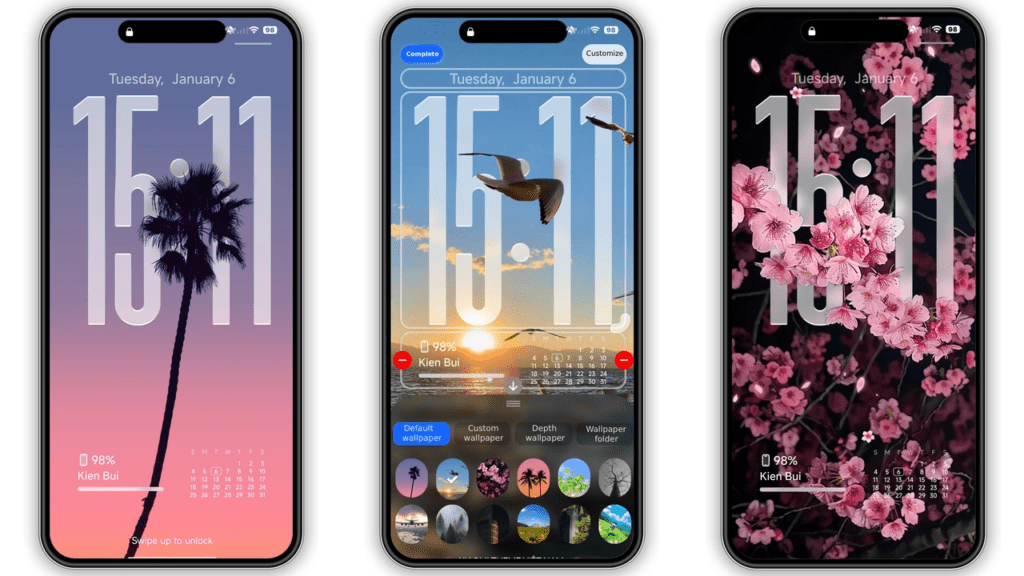
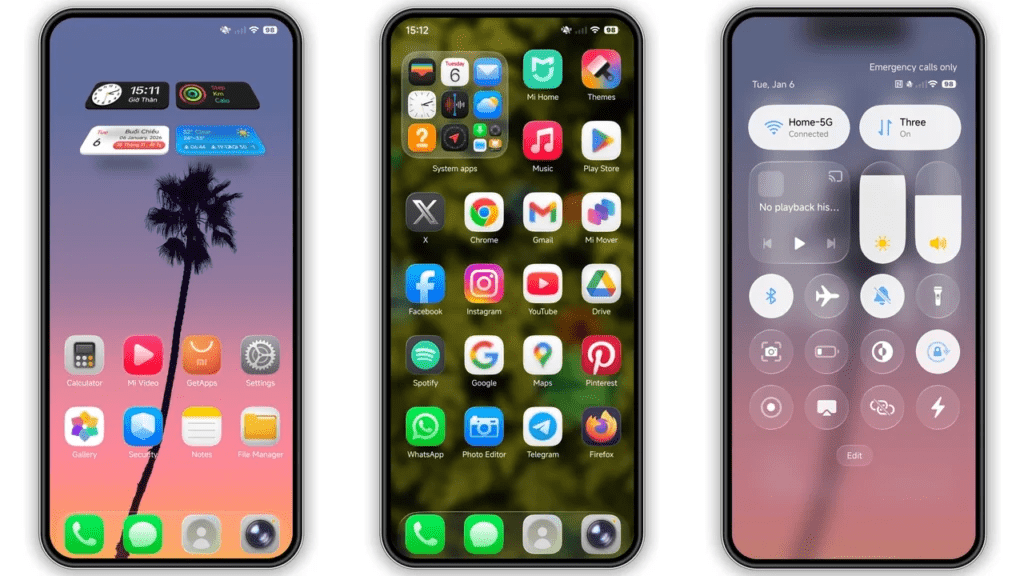
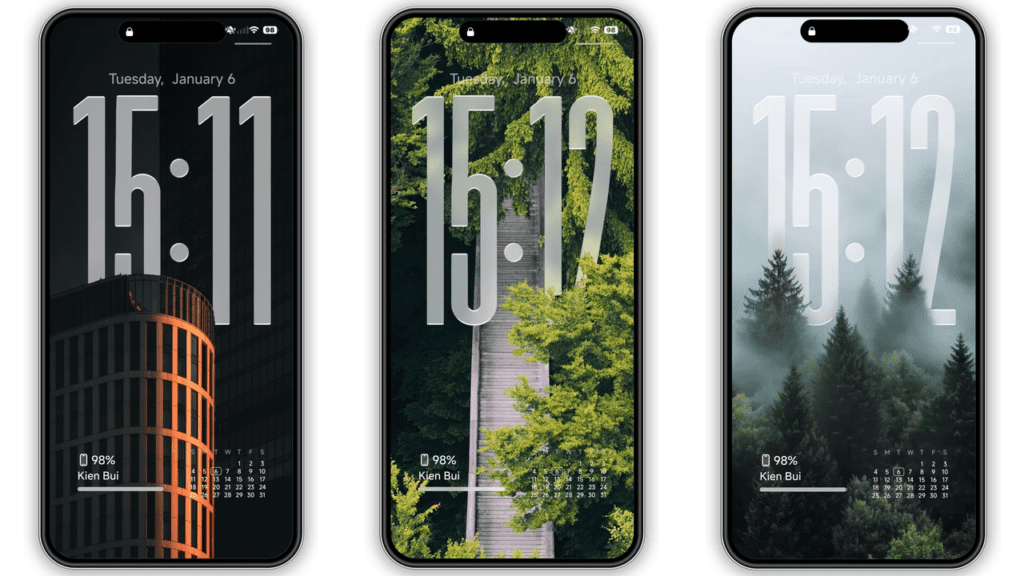
Super26 Pro is a visually refined HyperOS theme created specifically for Xiaomi ecosystem devices. It enhances the system UI with redesigned icons, fresh wallpapers, a customised status bar, and an elegant lock screen design like Apple iOS Glass Effect. This theme focuses on delivering a premium feel while keeping everything easy to read and practical for everyday usage.
One of the biggest advantages of this theme is that it is completely free, allowing users to enjoy advanced customisation without any cost.
Key Features of Super26 Pro HyperOS Theme
The Super26 Pro theme offers a wide range of visual improvements that make your phone feel new again.
You get a new icon pack with a consistent design and smooth colours that improve the overall home screen appearance. The lock screen comes with a stylish layout that looks modern and minimal. The status bar and system UI elements are also redesigned to match the theme’s clean aesthetic.
In addition, this theme includes fresh wallpapers that perfectly complement the icons and interface. It also supports a custom Always-on Display, giving your device a more premium and polished look even when the screen is locked.
User Experience and Daily Usage
Super26 Pro is not just about looks. The theme is well-optimised and works smoothly on compatible devices without affecting performance or battery life. Navigation feels natural, text remains readable, and animations stay fluid, making it suitable for long-term daily use.
If you enjoy changing themes often or want something different from the stock HyperOS look, this theme delivers a noticeable upgrade without overwhelming the system.
Super26 Pro HyperOS Theme Preview
Compatibility
The Super26 Pro HyperOS Theme is compatible with:
- Xiaomi smartphones running HyperOS
- Redmi smartphones running HyperOS
- POCO smartphones running HyperOS
As long as your device is officially updated to HyperOS, the theme should apply without any issues.
Why You Should Try This Theme
Super26 Pro stands out because it combines premium design with free access. It is ideal for users who want a fresh HyperOS experience without installing third-party launchers or modifying system files. The theme is easy to install, safe to use, and suitable for all types of users, from casual smartphone owners to theme enthusiasts.
Super26 Pro Theme Details
- Theme Size: 59.46 MB
- Designer: KIEN BUI
- Region/Server: Global
- Compatibility: HyperOS | HyperOS 2.0
- Features: Premium, 3D Depth of Field, Wallpapers
Get Theme From Below
Super26 Pro Depth Effect Wallpapers
How to Apply HyperOS and MIUI Themes [Stock ROMs]
If you have HyperOS or MIUI Global Stable ROM (Stock ROM) running on your device, please follow the steps below to download and apply the theme.
Step 1: Open this page using the Firefox browser on your device.
Step 2: In the download area, click on the Official Theme Store Link.
Step 3: This will open a Xiaomi theme page, which may be displayed in the Chinese language.
Step 4: Tap on the three dots in the top-right corner of the page and select Open in app.
Step 5: This will open the Theme Store app (Themes Store) where the theme is available.
Step 6: Download the theme from the Theme Store app.
Step 7: After the download is completed, apply the theme to your device.
If you are using MIUI 14 ROM, please follow the same steps above to install and apply the theme.
Note: If the Official Theme Store Link does not work, please try opening this page using Google Chrome or the default Xiaomi browser. Other browsers may not work properly.
How to Apply HyperOS and MIUI Themes on [Custom ROMs]
If you are using any MIUI 11, MIUI 12, MIUI 13, MIUI 14, or HyperOS-based custom ROMs such as Xiaomi EU ROM, MIUIRoom, or others, you can install the MIUI theme using an MTZ file.
Step 1: Download the MTZ theme file from the download link.
Step 2: Open the Theme Store app on your device.
Step 3: Tap on the Themes option inside the app.
Step 4: Swipe to the bottom of the screen and click on Import.
Step 5: Import the xxx.mtz file that you have just downloaded.
Step 6: Apply the theme after the import process is completed.
Note: Restart your device after applying the theme in case anything is overlapping or not visible properly. This theme has been tested and is working perfectly without any issues.
Conclusion
If you are bored with the default HyperOS interface and want a modern, stylish, and premium-looking theme, Super26 Pro HyperOS Theme is definitely worth downloading. With attractive visuals, smooth performance, and full compatibility across Xiaomi, Redmi, and POCO devices, it offers excellent value at zero cost.
Also Read: Xiaomi’s $83 Sound Party Speaker Promises 50W Harman Audio — Is It the Best Deal Right Now?